

Google Business Profile posts remain a relevant tool for local SEO in 2026, though not in the simplistic way many once believed. They do not automatically push a listing to the top of results on their own. Instead, they help a business profile look active, helpful, and worth clicking.
This visibility matters more than it sounds. Because these updates appear directly in Google Maps and Google Search, they provide immediate information to potential customers. When our listing earns more attention through consistent activity, it leads to more calls, more direction requests, and higher levels of trust. Consequently, local SEO improves in the ways that actually count by driving better engagement, stronger brand recall, and a higher probability of turning searchers into customers.
The trick is knowing what these posts can do, what they cannot do, and how to use them with purpose. That is where most businesses still miss the mark.
Key Takeaways
- Posts are not ranking shortcuts: Google Business Profile posts do not directly boost search rankings, but they improve your local SEO by increasing profile activity, trust, and user engagement.
- Prioritize clarity and brevity: A successful post should focus on one main idea, feature a relevant image, and include a single, clear call to action (CTA) to convert searchers into customers.
- Align with customer intent: Tailor your posts to address specific local needs, such as seasonal reminders, urgent service windows, or community events, to ensure they remain relevant to your audience.
- Consistency beats frequency: A sustainable, steady posting rhythm is more effective than intermittent, high-volume bursts of content; aim for a mix of service, educational, and update-focused posts.
- Measure performance with data: Use the Google Business Profile performance tab and UTM-tracked links to identify which post types, images, and CTAs drive the most meaningful interactions like calls and bookings.
What Google Business Profile posts can influence in 2026
Google still maintains that local results are shaped by relevance, distance, and prominence, rather than one quick trick or a single content format. We can read that directly in Google's local ranking guidance. While often referred to by its legacy name, Google My Business, the platform has evolved significantly; today, these posts are not a direct ranking shortcut, but they do support the bigger picture of your local presence.
They help in three practical ways.
Visibility, attention, and trust
A fresh post can make a profile feel alive. This is a simple detail, but it matters when a customer is comparing three similar businesses on the same screen. When your updates appear prominently in the knowledge panel, they provide instant context to potential customers.
Posts also create more room for your message and drive essential customer engagement. A strong image, a useful offer, or a timely update can pull the eye before a competitor's profile does. In local search, that extra glance is often the difference between a click and a pass.
They also help with trust. People notice when a business is current. Regular updates, seasonal offers, service reminders, and local proof all make the business feel real and available.
Posts support local SEO best when they drive real action, not when they sit on the profile like decoration.
What they do not do
We should be careful here. Posts do not magically fix weak reviews, poor service areas, inaccurate hours, or a thin profile. They do not replace categories, photos, citations, or a well-built website.
They also do not guarantee rankings. That old idea is still floating around, but it is too neat to be true. Google has never framed posts as a direct ranking lever, and 2026 guidance still points us back to relevance, proximity, and prominence.
So we treat posts as support material. They help the profile work better. They do not do the whole job.
The post format that gets read
A good post is short, clear, and specific. It should answer one question fast: why should someone care today? Before you begin, ensure you have completed the verification of your Google Business Profile, as this is a necessary prerequisite for publishing these updates.
We want one main idea, one image, and one clear call to action. That is it. If we try to cram in a full sales page, the message gets muddy.
Here is a simple structure we can use:
- Start with the point. Put the useful part first.
- Add a local detail. Mention the city, service area, season, or event.
- Make the action obvious. Tell people what to do next using a clear cta button.
- Keep the image relevant. It should match the offer or update, and you should always check the optimal image size to ensure your visuals look professional and load correctly.
- Leave out filler. Every sentence should earn its place.
For example, this works better than a vague company update:
"Spring AC tune-up slots are open this week in Florence and Covington. Book early if you want a morning appointment. Call now to reserve your visit."
That post is plain, but it does the job. It is local, timely, and easy to act on.
For more examples of how practitioners are approaching post structure, the BrightLocal guide to Google Business Profile posts is a useful companion.

A strong post should feel like a useful notice, not a flyer stuffed into a search result.
Post types that fit local intent best
Different post types do different jobs. We do not need every business to post the same thing, and we do not need to post just for the sake of volume. Using high-quality photos and videos within these formats helps keep your profile engaging and fresh for your local audience in 2026.
This table keeps the options simple.
| Post type | Best use | Example CTA |
|---|---|---|
| Offer posts | Limited-time discounts, seasonal specials, service bundles | Call now |
| Update posts | New hours, holiday schedules, staff changes, service changes | Learn more |
| Product posts | One clear service, one clear benefit, one clear audience | Get quote |
| Event posts | Open houses, workshops, community events, webinars | Reserve spot |
| Tips or reminders | Seasonal advice, maintenance reminders, quick education | Book now |
The pattern is easy to see. We match the post type to the reason a person is searching in the first place. That keeps the message useful and reduces wasted clicks.
A few post ideas tend to work well in 2026:
- Limited service windows for urgent local needs, like HVAC, plumbing, or auto repair.
- Seasonal reminders tied to weather, school calendars, or holidays.
- Neighborhood-specific updates that mention the town or service area by name.
- Proof posts that show before-and-after work, team activity, or recent results.
- Event posts for local gatherings, open houses, or community sponsorships.
The best posts usually feel familiar, not flashy. They answer a real need at the right moment.
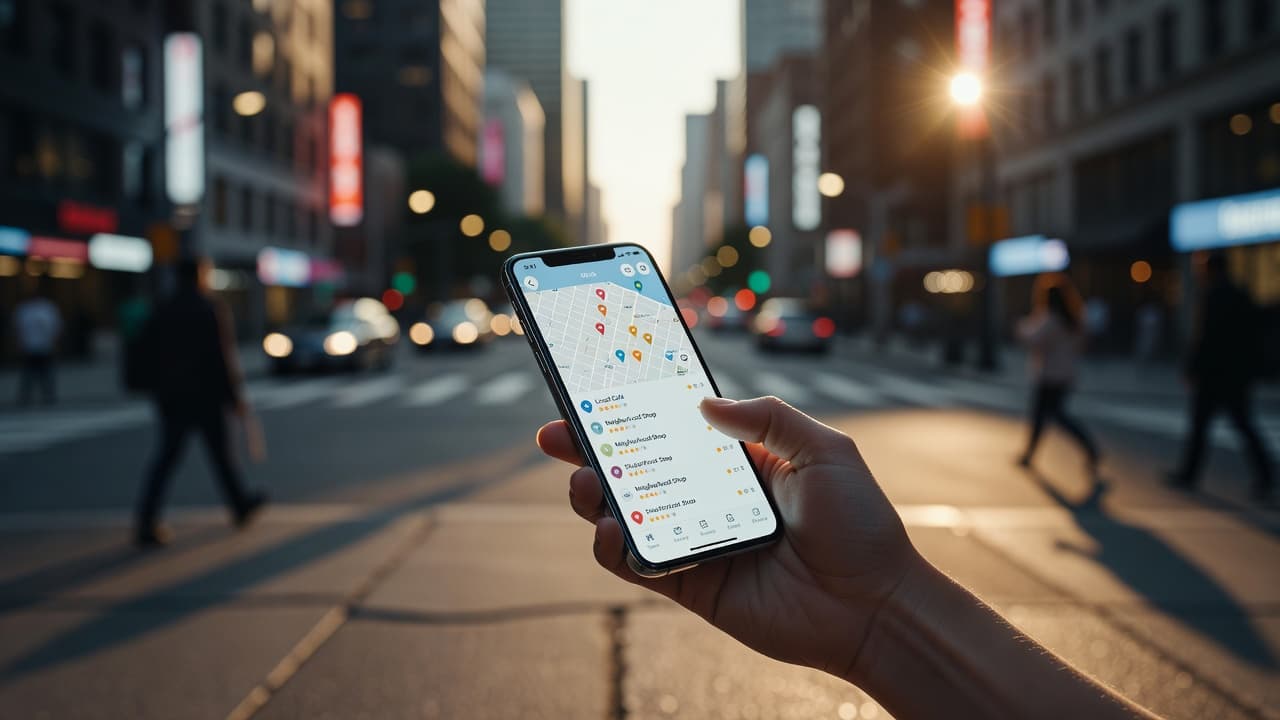
Images, CTAs, and timing that help a post work harder
A good image is not just decoration; it is an essential part of your message.
We want images that show the business, the service, the product, or the setting. A team photo, a job site shot, a storefront, a finished project, or a product in use usually beats a generic stock image. The goal is simple: we want the image to act as visual proof.
Avoid tiny text on images, and keep them free of clutter. If someone has to squint to understand the photo, the post is already losing momentum.
Your calls to action (CTAs) should stay direct and purposeful. Using call now works well for urgent services, while a book button is ideal for appointments. Use get quote for higher-consideration services, or select learn more when the post is educational or informational.
We should also think about timing. Posts often perform better when they match customer intent rather than just our internal calendar. A tax office post before a deadline matters more than the same post in midsummer, and a landscaper post before a weather shift is more effective than a random Tuesday update.
If a post does not match what customers are thinking about today, it will usually get skimmed and forgotten.
For teams that manage multiple locations, the right workflow is critical to success. Leveraging automated posting tools ensures you can keep content consistent across the board without turning the process into endless busywork. A 2026 GBP management tools comparison can help you identify the best software to streamline your efforts and maximize your local visibility.
How to measure performance without guessing
We should not judge posts by whether they feel good. We need a basic measurement habit.
Start with the Google Business Profile performance tab. Look at views, calls, website clicks, direction requests, and bookings where available. Then compare those numbers against the kind of post we published.
If one post type consistently gets more calls, we keep using it. If another type gets views but no action, we adjust the offer, the image, or the CTA. That is the real value of posting with discipline.
These are the metrics we should watch:
- Profile actions such as calls, clicks, bookings, and direction requests.
- Post-level engagement when the platform shows how people interacted.
- Website sessions from tracked links using UTM tracking to ensure accuracy.
- Conversion quality such as form fills, phone calls, or appointment bookings measured directly in Google Analytics.
- Topic patterns that show which messages get the best response.
We can also use a simple before-and-after rhythm. Compare a month with steady posts against a month with no posts. Compare service updates against offer posts. Compare posts with strong photos against plain ones.
That gives us something much better than guesswork. It gives us a pattern.
If we want to connect posting to business results more cleanly, we should track links in analytics and keep a note of the CTA used in each post. Then we can see which message actually brought the lead, not just the click.
A posting rhythm we can keep up with
Consistency beats bursts. Three useful posts a month are better than eight rushed ones followed by silence. If you commit to this rhythm for at least six months, you will gather enough meaningful data to understand what truly resonates with your audience.
For many local businesses, a simple rhythm works well:
- One service or product post
- One seasonal or educational post
- One offer, event, or customer-focused update
That mix keeps the profile fresh without making every post sound like a sale. Agencies can use the same structure across clients, then adjust the theme by industry.
A home services company might rotate between maintenance tips, emergency service reminders, and seasonal offers. A dental office might rotate between appointment availability, treatment education, and patient-friendly reminders. A restaurant might focus on specials, events, and behind-the-scenes updates.
A small team can do this in under an hour if the plan is clear. We do not need perfect copy; we need useful copy that gets published. As you plan your schedule, always ensure your content adheres to the Google Business Profile content policy. Following these guidelines is essential to prevent your posts from being rejected by the platform’s automated filters, which can interrupt your consistency and hurt your local search visibility.

Frequently Asked Questions
Do Google Business Profile posts directly affect my search ranking?
No, they do not serve as a direct ranking lever. While they do not automatically push your listing to the top, they increase profile activity and trust, which can indirectly lead to better engagement and more clicks.
How often should I post to my Google Business Profile?
Consistency is more important than sheer volume. A sustainable rhythm of three to four relevant, high-quality posts per month is generally better than a sudden burst of content followed by long periods of inactivity.
What kind of images should I use in my posts?
Use authentic, high-quality images that serve as visual proof of your business, such as team photos, finished project results, or storefronts. Avoid using cluttered graphics or generic stock photos that do not provide clear context to the viewer.
How can I track if my posts are actually generating leads?
Monitor the performance tab in your Google Business Profile to track direct actions like phone calls and direction requests. For more precise data, use UTM-tracked links on your CTAs to measure traffic and conversions in your website analytics.
Conclusion
Google Business Profile posts are not a magic ranking fix, and that is fine. Their real value in 2026 is simpler and more useful. They help us stay visible, earn attention, build trust, and create more reasons for customers to act.
When we keep our Google Business Profile posts short, local, and tied to a clear CTA, they support the rest of our local SEO work in a practical way. That is the kind of consistency that pays off, one useful update at a time.







