
Filters make big stores easier to use. They also make SEO harder fast. That tension sits at the heart of faceted navigation SEO.
When we add filters for color, size, brand, or price, shoppers find products sooner. But search engines may also find thousands of thin, near-duplicate URLs. The fix is not to kill filters. The fix is to decide which filtered pages deserve search visibility, and control the rest.
What faceted navigation does, and where SEO goes wrong
Faceted navigation is the filter system on category pages. On a shoe store, we might let shoppers narrow results by men's, size 10, black, Nike, and under $100. That is great for users because it cuts a huge aisle down to a few shelves.
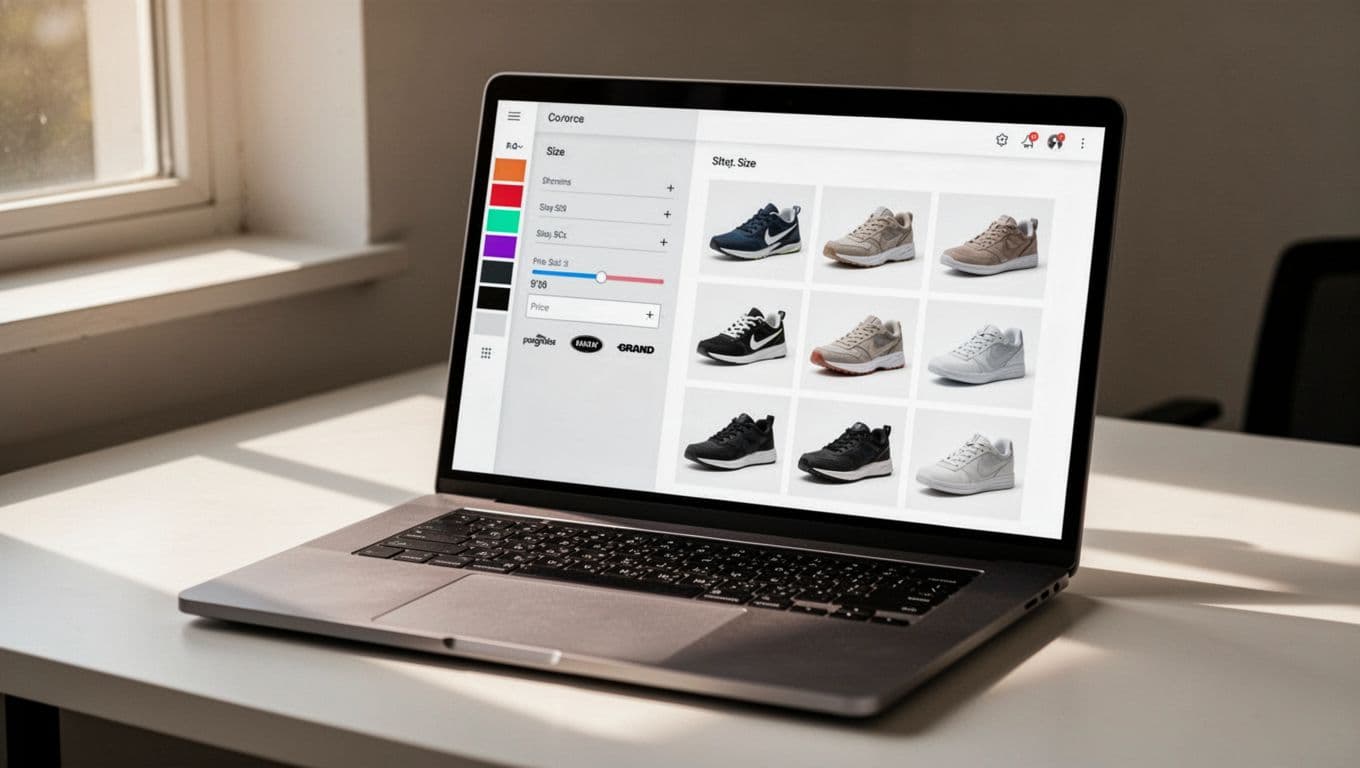
The problem starts when every filter creates a new crawlable URL. One category can turn into hundreds, then thousands, of combinations. Search engines may crawl pages with almost the same products, the same copy, and no clear reason to rank separately. Google highlighted that risk in its faceted navigation guidance.
We should keep two words straight. Crawlable means a bot can fetch a URL. Indexable means that URL can appear in search results. A page can be crawlable but not indexable. That is often the right setup for filter pages.
If every filter makes a page, we don't have a neat category system, we have a page factory.
This matters most on large ecommerce sites. If Google spends time on low-value filter URLs, it may spend less time on new products and main category pages. Our own crawl budget explained for large sites is a helpful refresher if we want the bigger picture.
A simple way to choose which facets should rank
Not every filtered page is bad. Some match real searches and deserve their own landing page. Others exist only to help shoppers click around.
A simple test works well. We should ask four things: Is there search demand, does the page show enough products, is the result set meaningfully different, and can we add unique value on the page? If the answer is mostly no, we usually should not index it.
Here's a quick way to sort common facet types:
| Facet page example | Search demand | Unique value | Best treatment |
|---|---|---|---|
| /shoes/black-running | Often yes | Often yes | Index if curated |
| /shoes/nike | Sometimes | Maybe | Test, then decide |
| ?sort=price-low-high | No | No | Keep out of index |
| ?color=black&size=10&price=under-50 | Rare | No | User-only filter |
The strongest candidates for indexing are pages that feel like real categories, not temporary filter states. For example, "black running shoes" may deserve a stable page if inventory stays healthy and the query has demand. On the other hand, "size 10, black, under $50, in stock, sorted low to high" is usually too narrow.
This is also where SEO indexing guide thinking helps. If a filtered page has thin value, Google may crawl it and still skip it. A strong technical breakdown from Resignal's faceted navigation article makes the same point from a large-site view.
The controls that keep filter pages under control
Once we know which facet pages matter, we can pick the right control for the rest. No single tool solves every case.

Noindex is often the clearest way to keep a filter page out of search results. It still lets search engines crawl the page and see the instruction. That makes it useful for live filter URLs that help users but should not rank.
Canonical tags tell search engines which version is preferred. They work best when pages are highly similar. However, canonical is a hint, not a command. If a filtered page looks useful enough on its own, Google may treat it differently than we expect.
Robots.txt controls crawling, not indexing. That's why we should not block a URL in robots.txt and then expect Google to read a noindex tag on that blocked page. Our robots.txt SEO best practices explain that trap in plain English.
Internal linking shapes what bots find important. If we link every filter combination in plain HTML, we invite crawling. Instead, we should link prominently to main categories and to the small set of facet pages we want indexed.
AJAX can help by updating products without creating a new crawlable URL for every click. That is useful for user-only filters. Still, we should keep important content visible in the page HTML, or on stable URLs, so search engines can read it.
Parameter handling now happens on our sites, not in a Search Console tool. We should keep parameter order consistent, avoid duplicate combinations, and stop empty-result pages from piling up. A practical 2026 faceted navigation guide gives solid examples of this cleanup work.
Best practices, and mistakes we should avoid
A good faceted setup feels small and intentional. We pick a few search-worthy facet pages, build them well, and treat the rest as user tools.
Common mistakes are easy to spot:
- Letting every filter combination create an indexable URL.
- Using canonical tags alone and expecting crawl waste to disappear.
- Blocking filter URLs in robots.txt before search engines can see noindex.
- Linking to low-value filtered pages from menus, breadcrumbs, or hubs.
- Keeping empty or near-empty filter pages live.
On the positive side, we should keep inventory thresholds, write unique titles and copy for chosen facet pages, and monitor index counts in Search Console after changes. If filters improve shopping but flood the index, they need tighter control. Shopper-first advice from ProductLasso's faceted navigation best practices also lines up well with that approach.
Filters are helpful because they act like signs in a big store. Trouble starts when search engines treat every sign like a new aisle. That's why the best faceted navigation SEO plans are selective.
When we keep only the strongest facet pages crawlable and indexable, the whole site gets cleaner. Users still find products fast, and search engines spend more time on pages that can actually win traffic.