

A visitor who reaches a missing URL hasn't always left the website. With a clear recovery path, that visitor may still find the right service, product, article, or contact page. Good 404 page SEO focuses on that next step, not on trying to make a missing URL rank.
A genuine 404 response is normal when a page no longer exists. A custom 404 page won't recover rankings by itself, but it can reduce frustration, reveal broken links, and protect useful traffic. First, we need to separate normal missing pages from problems that deserve a technical fix.
What a 404 Means for SEO
A 404 status means the server couldn't find the requested resource. The MDN 404 status reference describes it as a client error response for a resource that isn't available.
Search engines don't need every old URL to stay active. They need accurate signals about whether content exists, moved, or has been removed.
Normal missing URLs don’t need forced fixes
Some 404s are expected. A visitor may mistype a URL, follow an outdated external link, or request a page that was removed years ago. Those cases don't require a redirect to a loosely related page.
A missing URL should usually return a real 404 response when no suitable replacement exists. The response tells browsers, crawlers, and website owners the truth: there is no page at that address.
We don't recommend redirecting every missing URL to the homepage. That move rarely matches the visitor's intent, and it can turn useful reporting into a pile of unclear redirects.
Broken links and soft 404s need attention
A 404 becomes a fixable problem when a working internal link points to it. It also deserves review when an important external link, campaign URL, or page with strong referral traffic leads visitors nowhere.
A soft 404 is different. The page may display a "not found" message, but the server returns a 200 success status. Google's guidance on soft 404s recommends returning a proper 404 response instead.
A custom design is helpful only when the HTTP status remains accurate. A friendly error page with a 200 status creates a technical problem instead of solving one.
What 404 Page SEO Should Accomplish
The page should answer one question quickly: "What can I do next?" Visitors shouldn't have to study a clever illustration or scan the full navigation to recover.
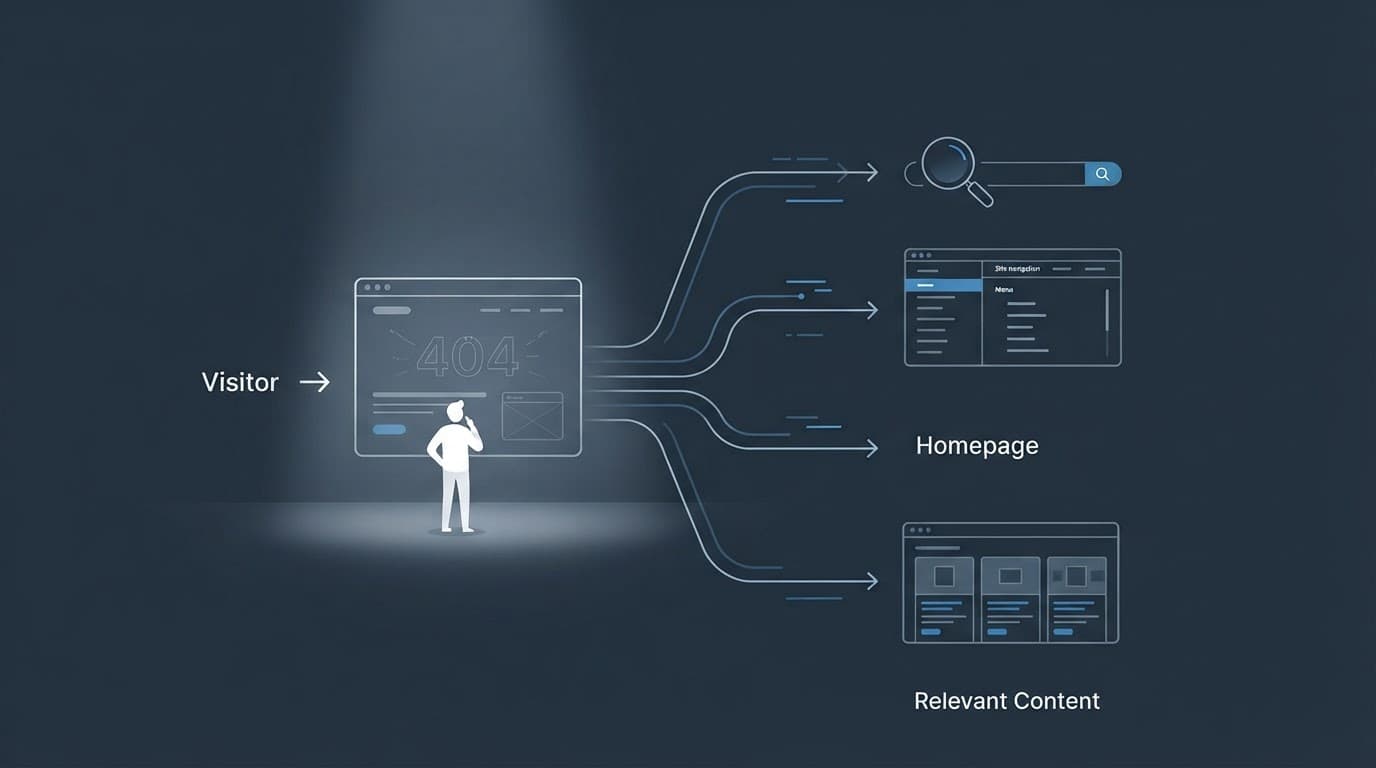
Give visitors clear recovery choices
Start with a plain heading such as "Page not found." Add one short sentence that explains what happened without blaming the visitor.
Then provide the paths most likely to help:
- A search field for visitors who know what they need.
- A link to the relevant service, product, or content category.
- A link to the homepage for visitors who want to restart.
- A contact option when the website supports quotes, bookings, or customer help.
Keep the primary action obvious. A visitor who arrived looking for plumbing repair should see a path to plumbing services, not only a generic home link.
Match the path to the visitor’s intent
The best recovery options depend on the type of website. An online store may show product categories and popular collections. A local service company may highlight service areas, core services, phone calls, and quote requests.
Avoid automatically recommending random popular pages. A recovery link should have a reasonable connection to the requested URL. For example, /services/roof-repair-old may point toward a current roof repair page, while /blog/2021-event-recap may need a link to the blog archive instead.
Build a Useful 404 Page
A strong 404 page is simple, accessible, and connected to the rest of the website. It doesn't need a complex design. It needs useful choices that work on mobile and desktop.
The table below gives us a practical starting point.
| Page component | What it helps with | Recommended approach |
|---|---|---|
| Clear heading | Immediate understanding | State that the page wasn't found |
| Search field | Finding a specific destination | Use a visible label and useful results |
| Relevant links | Recovering intent | Link to nearby categories or services |
| Homepage link | Restarting navigation | Keep it visible, but don't make it the only option |
| Contact path | High-value visits | Show calls, forms, or support options where appropriate |
Keep navigation familiar
Use the same header and main navigation found across the website. Familiar navigation reduces the amount of new information visitors must process.
The 404 page shouldn't become a dead-end design experiment. Keep the logo link, menu behavior, search access, and footer consistent with the rest of the site. Remove anything that distracts from the next action, such as large animations or unclear button labels.
The page also needs to work for keyboard users and screen readers. Give the main heading a logical heading level, label the search field, preserve visible focus styles, and use descriptive link text. Good contrast matters, especially when the page uses a dark or branded design.
Add search without hiding the answer
Site search is useful when a visitor remembers the topic but not the exact page. Place it near the main message, not at the bottom of a long page.
Search results need their own quality check. If the search returns no results, provide category links or a contact option instead of another dead end. A search field isn't a recovery path when it produces empty or confusing results.
We also recommend reviewing the site's search terms. Repeated searches for a missing service or product may show that content should be restored, renamed, or linked more clearly.
When to Redirect a Missing URL
A redirect is appropriate when another live URL fulfills the same visitor need. It isn't a reward for having an old URL, and it shouldn't be used to hide every crawl error.
Redirect to a close replacement
Use a permanent redirect when content has moved and the replacement is clear. For example, an old URL for a discontinued service may redirect to the current page for that same service if the information and intent remain close.
A redirect can also make sense after a site migration, URL restructure, or product rename. Check the destination before publishing the rule. It should load properly, explain the expected topic, and support the reason someone visited the old address.
A few useful decision questions are:
- Does the new page answer the same main question?
- Would a visitor understand why they arrived there?
- Does the old URL receive meaningful traffic, links, or conversions?
- Can the redirect be explained as a content move rather than a forced detour?
If the answer is no, keep the 404 and improve its recovery options.
Leave permanently gone content alone
Don't redirect a deleted page to the homepage only because the homepage is available. That approach creates a poor user experience and may make it harder to identify which content needs attention.
A product that is permanently unavailable, a discontinued event, or an obsolete announcement may have no suitable replacement. Letting that URL return 404 is cleaner than sending visitors to unrelated content.
We also check internal links, XML sitemaps, navigation menus, and campaign materials after removing a page. A 404 can be correct while the website still contains a preventable broken path.
Measure 404 Problems and Recovery
A 404 page should give us useful information about lost visits. Reporting helps separate harmless noise from broken paths that affect customers.

Find patterns instead of chasing every URL
Start with the URLs that receive the most visits. Review the referring page, source, landing date, requested path, and device type where the data is available.
A useful review often includes:
- Google Search Console page and indexing reports.
- Analytics landing-page and pageview data.
- Server logs for crawler and user requests.
- A crawler such as Screaming Frog or Sitebulb.
- Referral reports that show valuable external links.
Look for groups of errors. A pattern like /service/ followed by outdated slugs may point to a migration rule. A set of URLs with incorrect capitalization may show a linking or server configuration issue. Hundreds of random bot requests may need no content change at all.
If a page displays a not-found message but appears as a valid page, review the Google Search Console soft 404 discussion and verify the response status directly.
Track whether visitors recover
Pageviews alone don't tell us whether the 404 page helped. Track clicks on search, related links, homepage navigation, phone links, forms, and booking actions.
A simple recovery rate can be calculated as:
404 sessions with at least one useful follow-up action / total 404 sessions
Track that number by URL group, device, traffic source, and page template. A high recovery rate on one type of missing URL may show that its recommendations are relevant. A low rate may point to weak navigation, poor search results, or an unclear primary action.
For local businesses, connect recovery behavior with calls, quote requests, appointment forms, and direction requests. A visitor who reaches the correct service page may still become a customer, even though the original URL was missing.
Review the report on a regular schedule. Fix high-value broken links first, create redirects only for close replacements, and leave genuinely gone pages as accurate 404s with helpful navigation.
Make 404 Page SEO Part of Site Maintenance
A 404 page works best when it fits a wider maintenance process. Add broken-link checks to site launches, redesigns, URL changes, and content removals.
Before publishing a new page structure, map old URLs to their real replacements. Update internal links and sitemaps at the same time. After launch, review the highest-traffic errors and test redirects on mobile devices.
We also recommend testing the 404 page with a few realistic paths:
- An accidental typo in a service URL.
- A deleted page reached from an old external link.
- A product or article with no current replacement.
- A URL that should redirect after a migration.
Check the visible page, HTTP response, mobile layout, keyboard access, analytics events, and final destination. Small tests catch problems before a visitor reports them.
Conclusion
A 404 response is normal when a URL is genuinely missing. The page itself won't restore rankings, but a clear recovery path can help visitors find useful content and help our teams locate broken links, outdated campaigns, and migration issues.
Good 404 page SEO combines an accurate status code with relevant navigation, search, accessible design, and practical measurement. When we treat the 404 page as both a visitor aid and a reporting source, lost visits become easier to understand and easier to recover.







