
Google Search Console's Page Indexing report can look busier than it really is. A page shows up as indexed, excluded, or blocked, and that can feel like a lot when we only want one simple answer: will Google show this page in search?
The good news is that the report is easier than it looks. Once we know what each status means, we can tell the difference between a normal exclusion and a real problem. That saves time, and it keeps us focused on the pages that matter most.
Where to find the Page Indexing report and what it measures
Open Search Console, go to Indexing > Pages, and we get a summary of URLs Google has discovered. Some older guides still call this the Coverage report, but in 2026 the current label is Page indexing.

This report is not a perfect inventory of every page on our site. It is Google's view of the URLs it knows about, and how it treats them. That matters, because a page can be known to Google and still not be indexed.
If we are still getting used to Search Console, our Google Search Console beginner tutorial gives a quick tour of the basics. Google's own Page indexing report help also explains how indexed and not indexed URLs are grouped.
How to read the main status buckets without overthinking them
The easiest way to read the report is to separate normal statuses from action statuses. Some pages are supposed to stay out of the index. Others need our attention.
| Status | Plain-English meaning | Usually okay? |
|---|---|---|
| Indexed | Google stored the page and can show it in search | Yes |
| Alternate page with proper canonical tag | Google picked another version on purpose | Yes, if intentional |
| Crawled - currently not indexed | Google visited the page, then skipped indexing it | No, if the page should rank |
| Discovered - currently not indexed | Google knows the URL, but has not crawled it yet | No, if the page is important |
| Duplicate without user-selected canonical | Google chose the main version for us | No, unless that is what we wanted |
| Blocked by robots.txt | Google cannot crawl the page | No, if the page should be public |
| Soft 404 | The page looks thin, empty, or broken | No |
Not every excluded URL is a problem. Some pages are supposed to stay out of the index.
For a wider view of how Google groups known URLs, Google index coverage report explained for 2026 is a useful companion. It reinforces the same point, the report is about Google's decision, not our hopes.
Common statuses explained in plain English
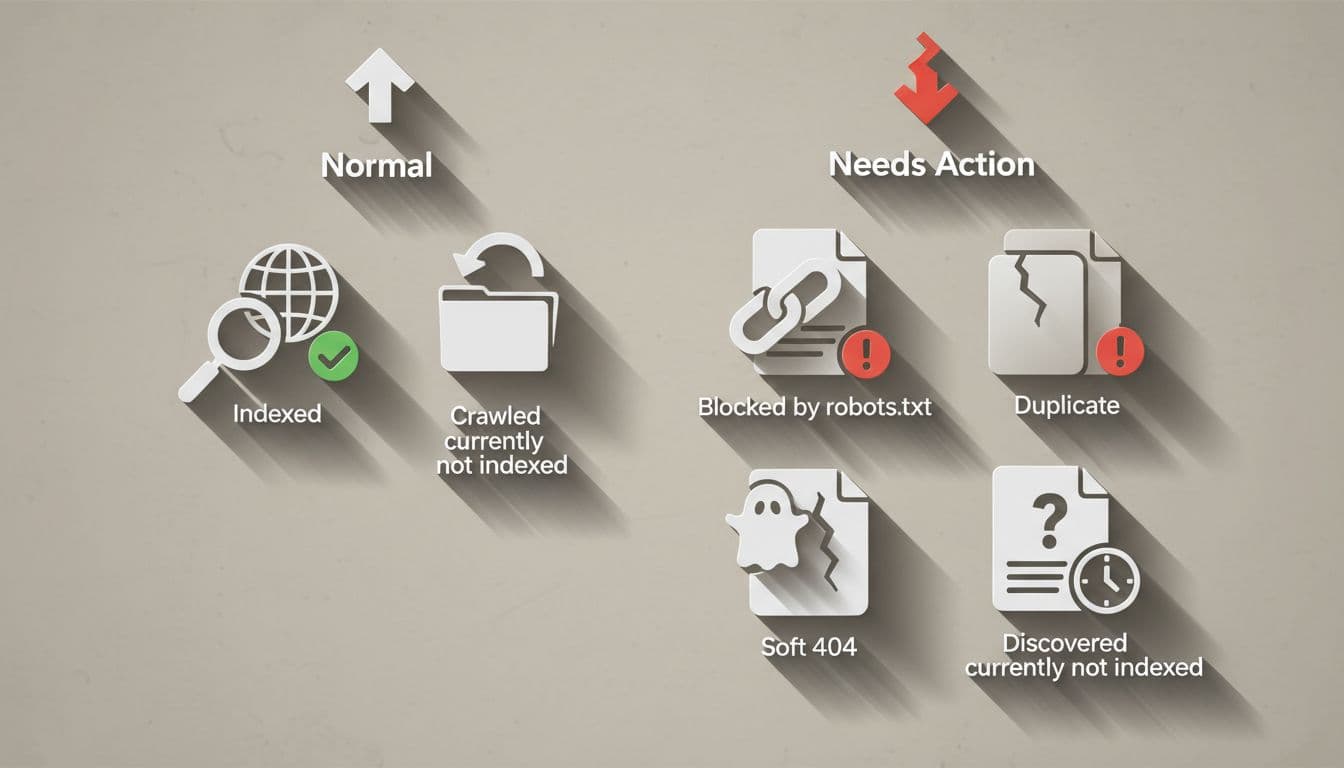
Crawled - currently not indexed, and Discovered - currently not indexed
These two cause the most confusion, because they sound similar.
Crawled - currently not indexed means Google visited the page and read it, but chose not to store it in the index. That usually points to quality, duplication, or weak search value. If a page is thin, too similar to another URL, or not very useful, Google may decide it does not deserve a spot.
Discovered - currently not indexed is different. Google knows the URL exists, but has not crawled it yet. That often happens when the page is low on internal links, buried deep in the site, or not seen as a priority. A clean XML sitemap helps, but it does not force indexing. Our XML sitemap guide for indexing shows how to support discovery the right way.
Alternate page with proper canonical tag, and Duplicate without user-selected canonical
These statuses are about duplication and URL control.
Alternate page with proper canonical tag is usually fine. It means Google accepted the canonical version we pointed to, so the duplicate page is not the one it wants to index. If that was the plan, we can relax.
Duplicate without user-selected canonical is the one to watch. It means we did not tell Google which version was the main one, so Google made the choice itself. That can create messy signals, especially on sites with parameters, tag pages, or repeated content. Our canonical tag for duplicates guide is the right next step when we want to clean that up.
If a page is intentionally out of the index, we should make that clear too. A noindex tag SEO fix guide helps us handle that without creating crawl confusion.
Blocked by robots.txt, and Soft 404
These two usually need action.
Blocked by robots.txt means Google cannot crawl the page at all. That is fine for private pages or sections we do not want in search. It is not fine for a page we expect to rank. If the page matters, we should check whether the block is intentional.
Soft 404 means the page behaves like a weak or empty page. It might load in a browser, but it does not offer enough real content. Google may treat it like a bad page even if it does not return a normal error. In practice, this often means we should add useful content, redirect the page, or remove it if it no longer has a purpose.
What to do when a page should be indexed
When a page should be indexed, we do not start by clicking every button in Search Console. We start with the page itself.

- Inspect the exact URL
Use URL Inspection first. We want the status for one page, not the guesswork of the whole report. - Check for noindex and robots.txt blocks
If the page is hidden on purpose, the report is doing its job. If the page should rank, we need to remove the block. - Review the canonical tag
Make sure the page points to itself or to the correct main version. A bad canonical can send Google in the wrong direction. - Look at content quality
If the page is Crawled - currently not indexed, the fix is often better content. Add detail, answer the real question, and remove duplicate or filler sections. - Strengthen internal links
If the page is Discovered - currently not indexed, we should make it easier to find. Add links from related pages, navigation, or a useful hub page. - Validate the fix after the page is ready
Once the real issue is fixed, we can request indexing or validate the issue in Search Console. The key is to fix the cause first.
A useful shortcut is to ask one question: if Google saw this page today, would it look like the best page for this topic? If the answer is no, the report is telling us to improve the page, not just resubmit it.
Quick checklist before we move on
Before we treat a status as a problem, we can run through a simple check.
- Is this page supposed to rank in Google?
- Is it blocked by robots.txt or a noindex tag?
- Does the canonical point to the right URL?
- Is the page different enough from other pages on our site?
- Does it have enough useful content to answer the search?
- Are there enough internal links pointing to it?
- Is the page in the XML sitemap?
If the answer to most of those is yes, then we may be looking at a page that needs a little more trust or clarity before Google includes it. If the answer is no, we know where to start.
The report is also easier to read when we remember one detail from Google Search Console Help: the Source can tell us whether the issue is probably something on our site or a choice Google made. If the source is Website, we can usually fix it. If the source is Google, the page may be excluded for a valid reason.
Conclusion
The Page Indexing report is not a scorecard. It is a map. Once we know which labels are normal and which ones need work, we stop guessing and start fixing the right pages.
That is the real value of google search console page indexing. We can see what Google found, what it skipped, and what it chose to keep out. When a page should rank, our job is simple, make it easy to crawl, easy to understand, and worth indexing.