
Search Console can tell us a page is indexed. It cannot tell us whether Googlebot spent its time on the right URLs, hit broken pages, or ignored important content. That is where log file analysis SEO gives us a clearer picture.
It sounds technical, but the basics are simple. We are reading a visit record, then using that record to make better SEO decisions. In 2026, that matters even more because crawlers are dealing with heavier pages, JavaScript, and new AI bots that also leave footprints.
Search Console shows the report. Logs show the visit.
What server logs tell us that other tools miss
A server log is a plain record of requests to our site. Each line usually includes the bot or browser name, the page requested, the status code, and the time.
That means we can see things tools often hide. We can see whether Googlebot hit a 404 page, whether a redirect chain wasted crawl time, or whether a JavaScript-heavy page was actually requested by a rendering crawler. If we want a plain-English primer, this beginner guide to log file analysis is a helpful companion read.
Search Console and a crawler still matter. They help us spot indexation problems and on-page issues. Logs add the missing layer, which is actual bot behavior. For beginners, that is the real win. We stop guessing.
In 2026, the biggest change is not that logs became harder. It is that the web became messier. Pages are heavier. AI crawlers are more common. Search bots may stop after the first 2MB of HTML or text, so page structure and content order matter more than before.
Where we get the logs, and what we filter first
Most of us can get access logs from hosting, a CDN, or a server panel. If we are not sure where to start, we should ask for access logs, not analytics data. Analytics shows users. Logs show requests.

Once we have the file, we do not need to read every line. We filter by user-agent, status code, and URL path. That gets us to the useful part fast.
A second practical walkthrough, this server log analysis guide, shows the same idea with a different set of examples.
Here is a simple way to think about the first filters:
- User-agent tells us who made the request, like Googlebot or GPTBot.
- Status code tells us what happened, such as 200, 301, 404, or 500.
- URL path tells us which section of the site got the attention.
If we only do those three things, we already learn a lot.
What common log patterns mean in 2026
This is where log file analysis gets useful for SEO. We do not need advanced math. We need pattern recognition.
| Pattern | What we see | What it means |
|---|---|---|
| Googlebot gets 200s on key pages | Clean visits to important URLs | Good sign, crawl is reaching the right pages |
| Googlebot hits 404s | Missing pages or old links | Fix broken internal links or redirects |
| Repeated 301 chains | One URL sends bots through multiple hops | Crawl time gets wasted |
| GPTBot, ClaudeBot, or PerplexityBot appears | AI search and training bots are visiting | Decide whether to allow or block them |
| HeadlessChrome shows up | A rendering crawler is loading JavaScript | Check what the page looks like after scripts run |
| Downloaded bytes stay low | Bot is not getting the full page | Important content may sit too low in the HTML |
The 2MB limit matters here. If our pages are bloated, key text or links can sit beyond what the bot fetches. So we keep important content near the top, cut bloat, and watch the page weight.
For JavaScript-heavy sites, logs are even more valuable. They tell us whether crawlers are seeing the rendered page or only the shell. If the bot visits but the page still does not rank, we know the problem may be rendering, not discovery.
A beginner workflow we can repeat every month
The best workflow is simple enough that we will actually use it. A long process that nobody repeats is not much help.
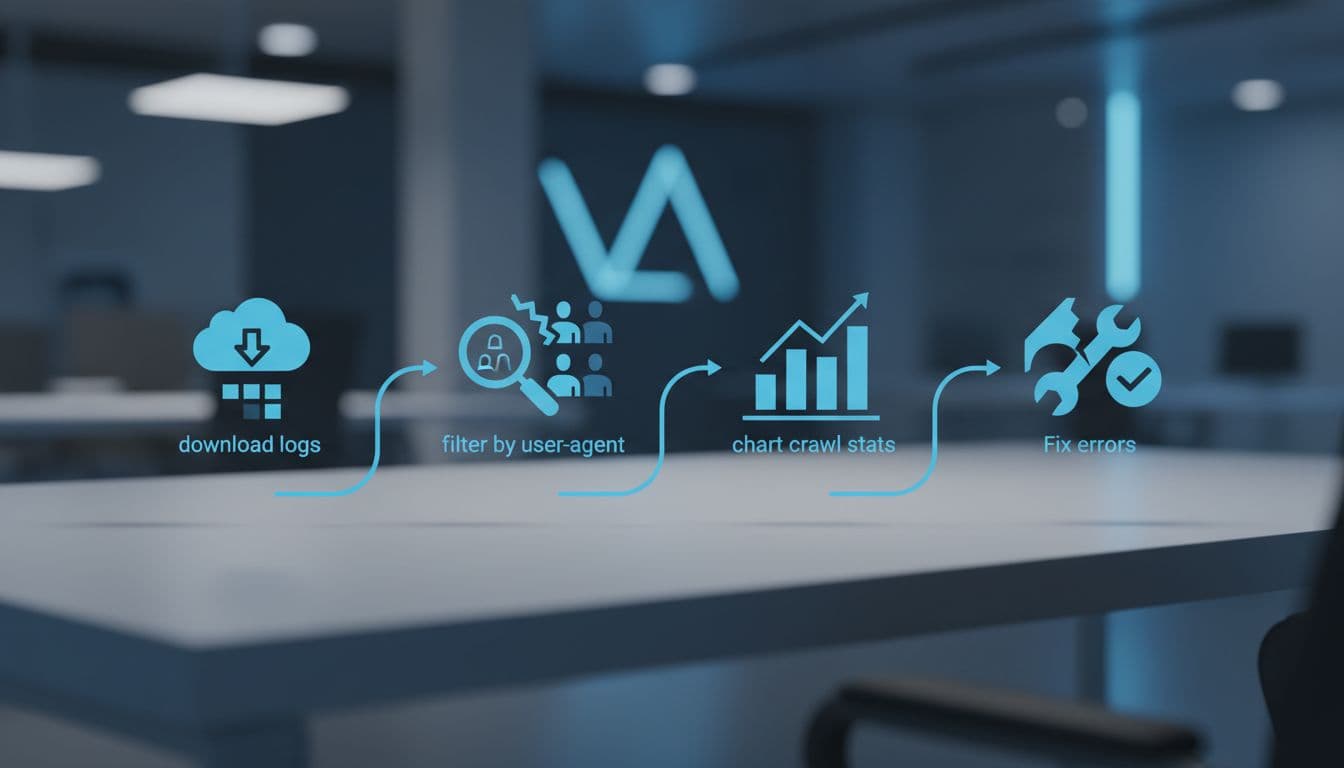
- Download 30 days of logs from hosting, CDN, or the server panel.
- Filter for Googlebot and other major crawlers first.
- Sort by status code and look for 404s, 500s, and redirect chains.
- Group URLs by folder or template so we can spot patterns.
- Compare the results with Search Console and a crawl tool to see what each tool missed.
- Fix one clear issue, then check the logs again a week later.
That last step matters. Logs are most useful when we treat them like a feedback loop, not a one-time project.
If we want a broader technical checklist to sit beside this process, our technical SEO checklist for small businesses keeps the basics organized.
What small sites should watch, and what growing sites should watch
Small sites do not need a huge log analysis program. A weekly or monthly review is enough. We usually focus on broken pages, crawl waste, and whether Googlebot is finding new content at all.
Growing sites need a wider view. More templates mean more crawl paths. More JavaScript means more rendering questions. More content also means more room for duplicated URLs and low-value pages.
If crawl waste is the main issue, our robots.txt optimization for SEO guide helps us keep low-value paths out of the way. If discovery is the problem, the XML sitemap creation guide is the better place to start.
The point is simple. We use logs to see where the crawler is spending time, then we match that behavior to the site's real priorities. That works for a five-page local site and a larger content site too.
Conclusion
Log files give us the part of SEO that charts and dashboards miss. They show what crawlers actually did, not what we hoped they did.
In 2026, that matters more because of heavier pages, JavaScript, and new bot types. When we read the logs with Search Console and a crawler beside them, the picture gets much clearer.
The best next step is simple. Start with 30 days of logs, look for bot patterns, then fix the obvious waste first. That is how we turn a noisy file into better crawl decisions.