
A website can look great visually but still struggle in search without a technical SEO audit. That’s why a technical SEO audit matters. It checks whether search engines can crawl, render, index, and trust your pages, helping drive organic traffic for sustained website growth.
For beginners, this can sound like opening a car hood and seeing a wall of parts. The good news is that you don’t need to be a developer to spot the big issues. Start with the basics, fix what blocks visibility and boosts search engine rankings, and repeat the process on a simple schedule. While technical SEO is vital, it works alongside on-page SEO.
Start with crawling, indexing, and your audit tools
Your first goal is simple: ensure crawlability and indexability so search engines can reach your pages and add the right ones to their index. If that step fails, nothing else helps much.
Use a small tool stack so you don’t get buried in reports:
- Google Search Console: Check indexing, crawl errors, and Core Web Vitals.
- PageSpeed Insights: Test page speed and field data.
- A site crawler: A tool like Seobility’s free SEO tools can help you find broken links, duplicate pages, and missing tags.

Then run this first-pass checklist:
- Robots and indexing: Check that important pages aren’t blocked in robots.txt or tagged with noindex by mistake.
- XML sitemap: Make sure it exists, loads correctly, and includes your main pages.
- Status codes: Find 404 pages, soft 404s, and redirect chains.
- Canonical tags: Make sure duplicate or filtered pages point to the main version.
- Orphan pages: Pages with no internal links are easy for search engines to miss.
For example, a service page may exist in your sitemap but still stay out of search because a plugin added a noindex tag. That’s a quick fix, and it can bring a page back into play fast.
Fix indexing and crawl problems first. They block traffic more often than fancy tweaks.
If you want another outside reference for your checklist, this 2026 technical SEO guide shows how teams sort issues by impact.
Test rendering, speed, and mobile experience
In 2026, many sites rely on JavaScript-heavy themes, app-like builders, and third-party scripts. That creates a new problem for site performance: a page may load for people, but search engines may not see the full content right away.
So, compare the raw page with the rendered version. If your product details, reviews, or headings only appear after scripts run, Google may miss or delay them. This matters even more on large sites. Server-side rendering or static rendering often helps site performance when content is hidden behind JavaScript.
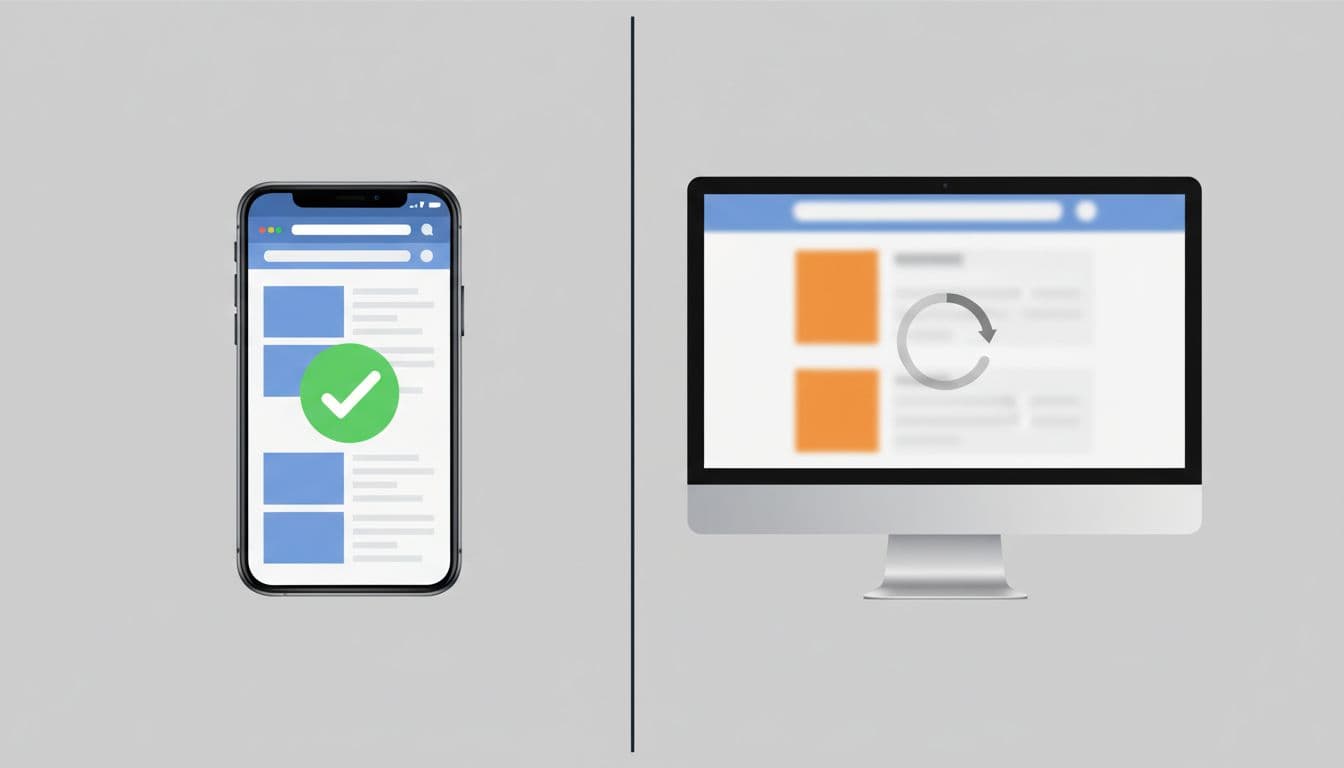
Next, test page speed and page experience with tools like PageSpeed Insights. Aim for these Core Web Vitals targets:
- LCP under 2.5 seconds
- CLS under 0.1
- INP under 200 milliseconds
If pages are slow, start with the usual suspects identified by PageSpeed Insights. Compress oversized images, remove unused scripts, delay non-essential JavaScript, and trim heavy plugins. Also check mobile-friendliness problems, such as buttons too close together or pop-ups that cover the screen.
This still matters because fast, stable pages improve user experience. They reduce abandonment and make it easier for search engines and AI-driven search features to read and summarize your content. Clean headings, visible body text, and quick loading help machines understand a page without guesswork.
Recent coverage of the March 2026 core update points to stronger emphasis on helpful content and trust. Technical cleanup won’t replace good content, but it gives strong content a fair shot.
Clean up the signals that confuse search engines
Once crawl, index, and speed are in decent shape, look for mixed signals. These are problems that make search engines hesitate. Begin by optimizing meta tags for clear titles and descriptions to strengthen content signals.
Start with duplicate content. Category filters, tag archives, print pages, and tracking parameters often create many versions of the same duplicate content. Use canonical tags where needed, and keep internal links pointing to the main URL.
Then review internal linking. Proper internal linking passes authority to your best pages. If those pages take five clicks to reach, they look less important. Add links from menus, category pages, and related content so your top pages sit closer to the homepage in your site architecture.
Structured data, or schema markup, also deserves a quick check. You don’t need every schema type. Still, valid markup for articles, products, reviews, local business info, or FAQs can help search engines understand page meaning more clearly. Keep it honest and match what users can see on the page.
Finally, scan for trust issues. Mixed content warnings, expired certificates (ensure the HTTPS protocol is properly implemented), and broken images hurt user confidence fast. A technical SEO audit should catch those before visitors do. Also review meta tags here for any lingering issues.
A simple example: if /service-a and /service-a?ref=ad both index, you split signals. One canonical tag can solve that.
Common beginner mistakes and a repeatable audit workflow
Beginners often waste time polishing small issues while large ones stay live. Try to avoid these common mistakes:
- Checking only the homepage: Meta tags issues, like suboptimal title tags and meta descriptions, often sit deeper in blog posts, product pages, or filters.
- Ignoring mobile tests: Google still reads your mobile version first.
- Trusting JavaScript too much: If core text or meta tags load late, bots may miss it.
- Fixing reports without re-testing: A change isn’t done until you verify it.
Now make the technical SEO audit repeatable.
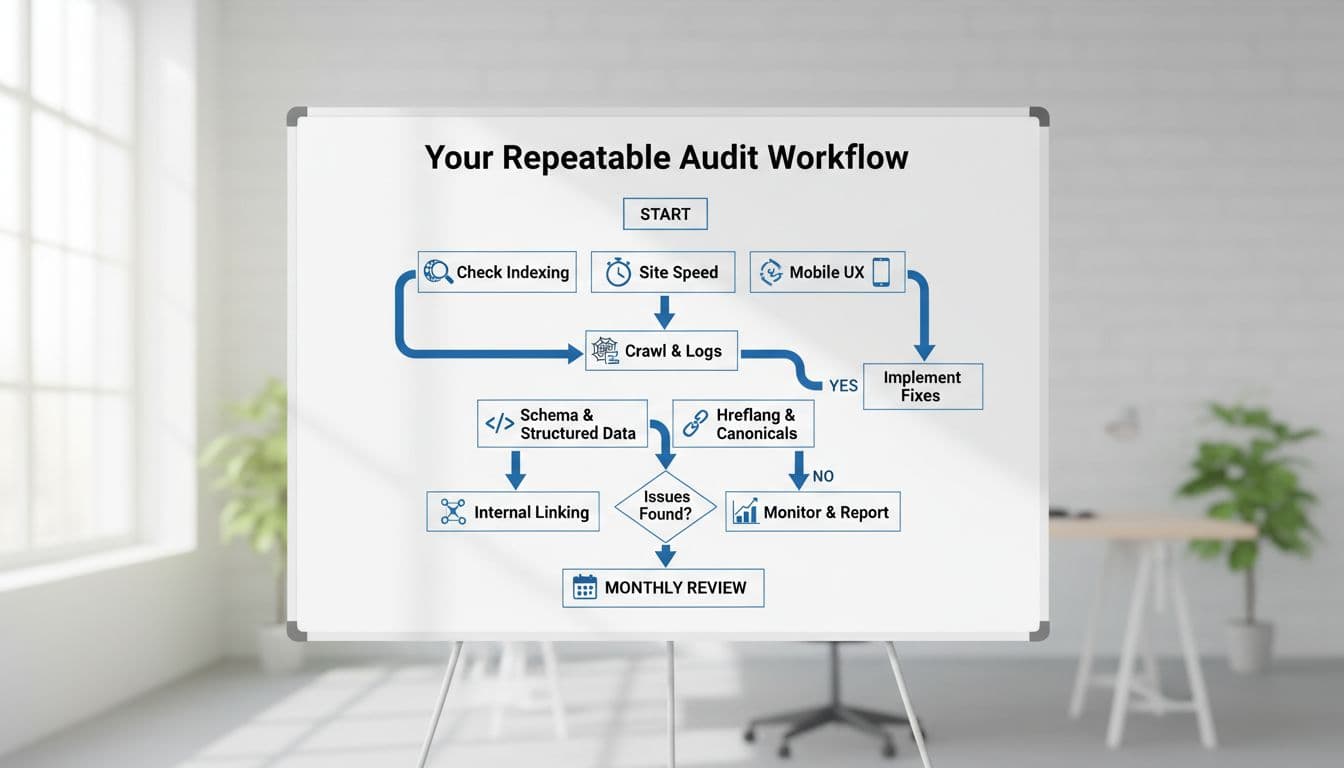
Use this technical SEO audit workflow each month, or each quarter for smaller sites; for larger sites, incorporate log file analysis as an advanced step to monitor bot activity:
- Check Search Console first: Look for indexing drops, crawl errors, and Core Web Vitals warnings.
- Run a crawl: Find broken links, redirect chains (which waste crawl budget), duplicate title tags, missing canonicals, and orphan pages.
- Test key templates: Review one homepage, one service page, one blog post, and one product or location page. Specifically check title tags and meta descriptions.
- Fix by impact: Start with indexing, rendering, and speed. Then handle duplicates, schema, and minor cleanups.
- Track changes: Watch results for two to four weeks, monitor your site health score, then keep notes so patterns stand out over time.
Keep your technical SEO audit simple
A good technical SEO audit is less about doing everything, and more about doing the right things in order. First, ensure crawlability and indexability. Next, optimize site performance by fixing rendering, speed, and mobile issues. Then clean up duplicates and weak signals. Once the technical foundation is solid, examine your backlink profile. Repeat that cycle, and your site gets easier for both people and search engines to trust. Over time, a thorough technical SEO audit boosts organic traffic and improves search engine rankings.