
Google can flag a page as broken even when it loads with no obvious error. That mismatch creates soft 404 errors, and it often confuses new site owners.
If we're new to technical SEO, this issue feels backward. The page may look fine in a browser, yet Search Console still treats it as low value or missing. Once we see why that happens, the fix gets much easier.
What a soft 404 really means
A soft 404 happens when a URL returns a success response, usually 200 OK, but the page looks empty, missing, or too thin to help anyone. In simple terms, the server says "all good" while the content says "nothing useful here."
As of April 2026, Google's guidance is still straightforward. If a page is gone, return a real 404 or 410. If it moved, use a 301 redirect. If the page should exist, give it enough original value to deserve indexing. That still lines up with recent Google Search Central Community guidance on soft 404s.
Common triggers include near-empty pages, empty category pages, deleted products that redirect to unrelated pages, and custom error templates that still return 200. When these URLs pile up, they can waste crawl time, which is one reason our crawl budget optimization guide matters on larger sites.
Soft 404 vs true 404 vs other indexing problems
This quick table separates the look-alikes.
| Issue | What Google sees | Best use |
|---|---|---|
| Soft 404 | A page that returns 200 or another non-error code, but looks empty, missing, or too thin | Improve the page, redirect to a close match, or return 404/410 |
| True 404 | A URL that returns 404 because the page is missing | Use when the page no longer exists |
| 410 Gone | A URL that clearly says the page is permanently removed | Use when content is gone for good |
| 301 redirect | A moved URL that points to a relevant replacement | Use when there is a close replacement |
| Noindex page | A real page that can load, but should stay out of search | Use for low-value pages we still want users to access |
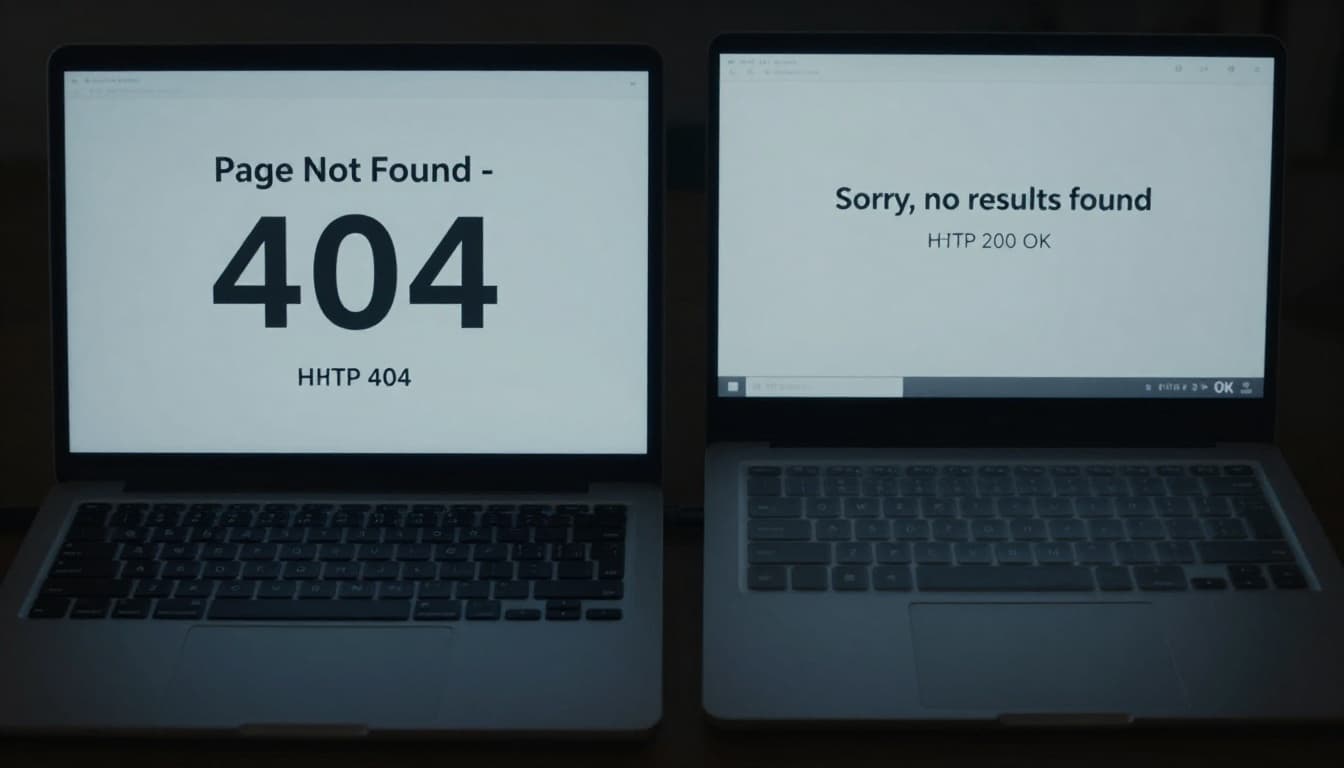
A true 404 is normal. Google expects some missing URLs on most sites. A soft 404 is different because it sends mixed signals. A noindex page is different again, because the page exists and we are asking search engines not to keep it.
Another common mix-up is "Crawled, currently not indexed." That usually points to weak, duplicate, or low-priority content, not an error page. If we need help telling these apart, our technical SEO indexing best practices give the bigger picture.
How we spot soft 404 errors quickly
Google Search Console is the first stop. In the Pages report under Indexing, soft 404s usually appear in the "Not indexed" group. Then we can inspect a sample URL to see when Google last crawled it and whether the live page matches our intent.
Next, we check the actual response and the page itself. If a URL shows "product not found," "no results," or a thin placeholder while still returning 200 OK, that is the classic pattern. A crawler like Screaming Frog helps us find these in bulk, and server logs show whether Googlebot keeps revisiting empty or expired URLs.
For WordPress-heavy sites, WP Rocket also has a practical soft 404 fix guide with examples that match what we see in Search Console.
Step-by-step fixes for common soft 404s
The right fix depends on the page's job. We should not redirect every bad URL to the home page. Google often treats that as a soft 404 too, because the destination is not closely related.
Thin pages need substance. If the page matters, we add useful copy, internal links, product details, FAQs, or other content that matches the search intent behind the URL.
Expired product pages need a clear choice. If a near match exists, we use a 301 redirect to that product or the closest category. If nothing similar exists and the item will not return, a 404 or 410 is cleaner.
Deleted URLs that point to unrelated pages should be fixed fast. A discontinued shoe should not land on the homepage or a random blog post. We either redirect to the closest substitute or let the page return the proper error code.
Empty category pages often trigger soft 404 errors because they load with almost no value. We can add helpful intro copy, featured products, related links, or a temporary noindex if the category has no search value yet.
CMS-generated placeholder pages are another common cause. Empty tag archives, author pages with no posts, and auto-created search pages often look real but add little. We either improve them, noindex them, or stop generating them.
After the fix, we request a recrawl or validate the fix in Search Console. Google may take days or weeks to update the report, so we watch the pattern, not just one URL.
Quick checklist before we move on
- Review the soft 404 report in Search Console.
- Check the live HTTP status code for each URL.
- Improve pages that should exist and have value.
- Redirect only to the closest relevant replacement.
- Return 404 or 410 for pages that are truly gone.
Beginner FAQ
Do real 404 pages hurt SEO?
A normal 404 does not hurt by itself. Trouble starts when important internal links, sitemaps, or redirects keep pointing to dead URLs.
Should we use 410 instead of 404?
We can use either. A 410 gives a stronger "gone for good" signal, while 404 is still fine for most removed pages.
How long does it take to clear a soft 404?
After we fix the page and request validation, it can take a few days or a few weeks. The timing depends on crawl frequency and site size.
The rule we want to remember
When the page is real, we should make it useful. When it moved, we should redirect it to the closest match. When it is gone, we should say so with the right status code.
That simple match between page purpose and server response prevents most soft 404 errors. It also makes our site easier for Google, and for people, to trust.