

One page under two or more URLs can cause more trouble than most site owners expect. The problem usually isn't a harsh penalty. It's that search engines may split trust, links, and indexing signals across several versions.
That's why duplicate content seo matters. When we clean up duplicate URLs and near-copy pages, we make it easier for search engines to pick the page we want, rank it, and keep it in focus.
What duplicate content really means
Duplicate content is content that appears at more than one URL, either exactly or with only tiny changes. Think of it like mailing the same flyer from four addresses. The message is the same, but the return address keeps changing.
Duplicate content means the page is the same or nearly the same. Near-duplicate content means most of the page stays the same, while small details change, such as city names on location pages. Syndicated content means the same article appears on more than one site by agreement, usually with a source credit.
Duplicate content is usually a consolidation problem, not a punishment problem.
For most websites, the risk is weaker indexing and diluted rankings, not a manual action. Search engines often choose one version and ignore the rest. If they choose poorly, the wrong page may rank, or none may perform well. That's why Search Engine Land's duplicate content guide is so helpful, and it also lines up with how SEO indexing works in practice.
Manual penalties can happen, but they're usually tied to spammy copying at scale, scraping, or deception. That is a different problem from common technical duplication on normal sites.
Where duplicate content usually starts
Most duplicate content starts quietly. A CMS, plugin, filter, or template creates extra URLs, and then the problem grows in the background.

Common examples include:
- HTTP and HTTPS versions of the same page
- www and non-www versions
- URL parameters for sorting, tracking, or filtering
- printer-friendly pages
- tag and category archives that repeat post excerpts
- copied manufacturer descriptions on product pages
- location pages that only swap a city name
- product variants with little unique content
Pagination needs extra care. Page 2 and page 3 of a category are not always duplicates of page 1. If those pages show different products or posts, they usually deserve their own self-canonical URL. Pointing every paginated page to page 1 can hide useful content.
Likewise, syndicated content is not automatically bad. If a partner republishes our article, we usually want the original source treated as the main version. That often means a cross-domain canonical or, if possible, a noindex on the republished copy.
For a wider look at common patterns, Conductor's duplicate content overview gives solid examples and plain-English context.
How to fix duplicate content without guessing
The first step is simple. We choose the preferred version of each page, then make the rest of the site support that choice.
This quick table shows the main options:
| Situation | Best fix | Why |
|---|---|---|
| Old URL should disappear | 301 redirect | Sends users and bots to the new page |
| Similar URLs should stay live | rel=canonical | Consolidates signals to one preferred URL |
| Low-value page should exist but not rank | noindex | Keeps it out of search results |
A 301 redirect works best when we no longer need the duplicate at all. That includes HTTP to HTTPS, non-www to www, trailing slash issues, or old pages replaced by new ones.
A canonical tag works best when several versions need to stay available. Product variants are a good example. If color URLs exist for users but the main product page is the ranking target, we usually canonical those variants to the parent page. For more detail, this guide to canonical tags for duplicate URLs breaks down the common cases.
A noindex tag helps when a page serves users but adds no search value. Printer-friendly pages, internal search results, and some thin archive pages often fit here. Still, we should not use noindex as a shortcut for every duplicate problem. If a page should fully consolidate with another, a redirect or canonical is usually cleaner.
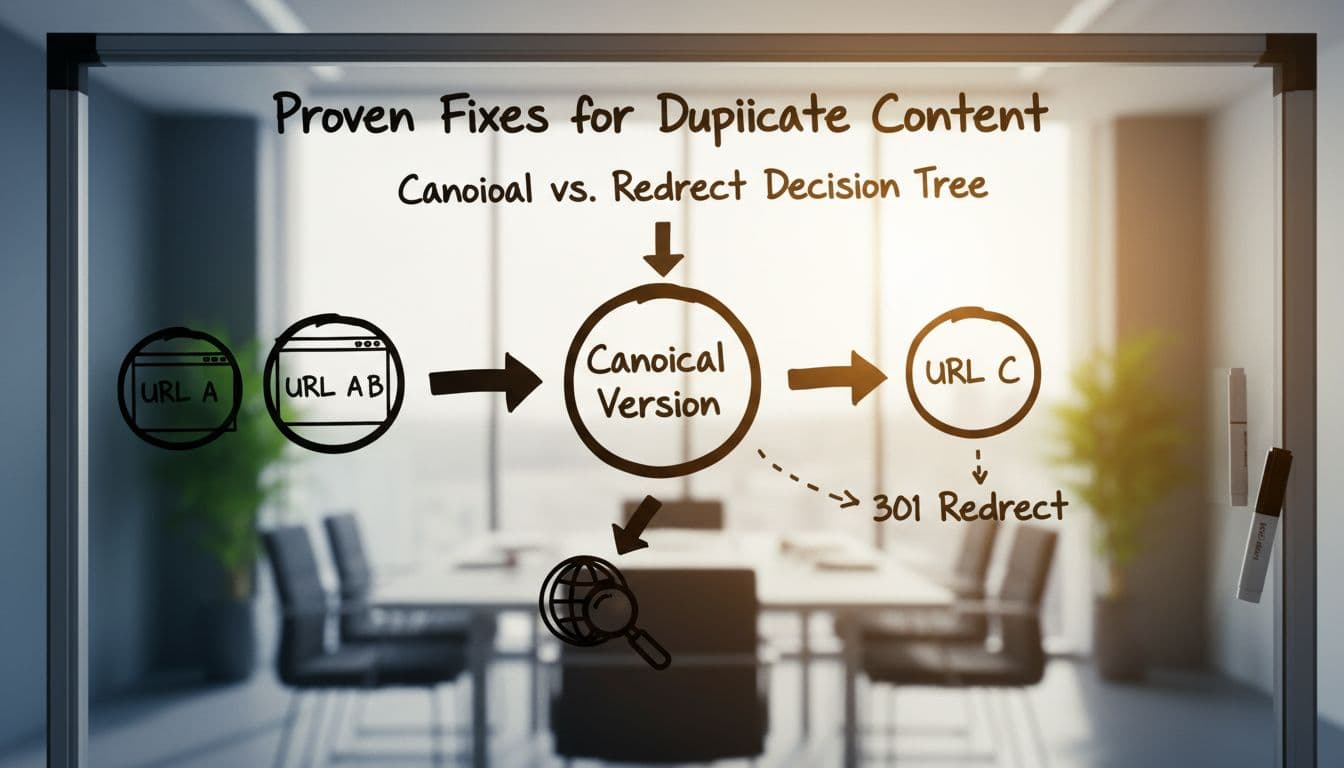
Then we support that setup with the rest of the site. Internal links should point to the preferred URL, not a parameter version or old redirect. Good internal linking for SEO helps reinforce the right page. XML sitemaps should list only preferred, indexable URLs. If the sitemap says one thing and internal links say another, search engines get mixed signals.
Lastly, we improve pages that are only "different" on paper. Rewrite copied manufacturer descriptions. Add real local details to location pages. Merge thin tag archives when they add no value. Sometimes the fix is technical. Sometimes it is better content.
FAQ about duplicate content SEO
Is duplicate content a Google penalty?
Usually, no. Most of the time, search engines treat it as a version-selection issue. The main loss is diluted indexing and ranking signals. Manual action is more likely in spam or scraping cases.
How do we find duplicate content fast?
We start with common patterns: parameter URLs, mixed protocols, archive pages, and copied product text. Then we review canonical tags, redirects, sitemaps, and Search Console reports that show duplicate or alternate pages.
Should we delete every similar page?
No. Some similar pages should stay live. Product variants, pagination, and syndicated pages can all be fine with the right setup. The goal is not to erase everything. The goal is to make the preferred version clear.
Clean duplication problems are often quiet wins. When we reduce mixed signals, search engines stop guessing and start following our lead.
If we want a strong place to start, we should audit our top templates first, category pages, product pages, archives, and URL variations. A small cleanup there can lead to clearer indexing, stronger rankings, and less wasted crawl time.







