

If Google can't place a page in its library via search engine indexing, that page has little chance to show up in search results. That's why search indexing matters. In 2026, it still sits at the center of SEO, even with AI answers and richer search results.
We often hear crawling, indexing, and ranking used like they mean the same thing. They don't. Once we separate those steps, it becomes much easier to fix pages that aren't appearing and improve search indexing for the ones that are.
Crawling, indexing, and ranking are different jobs
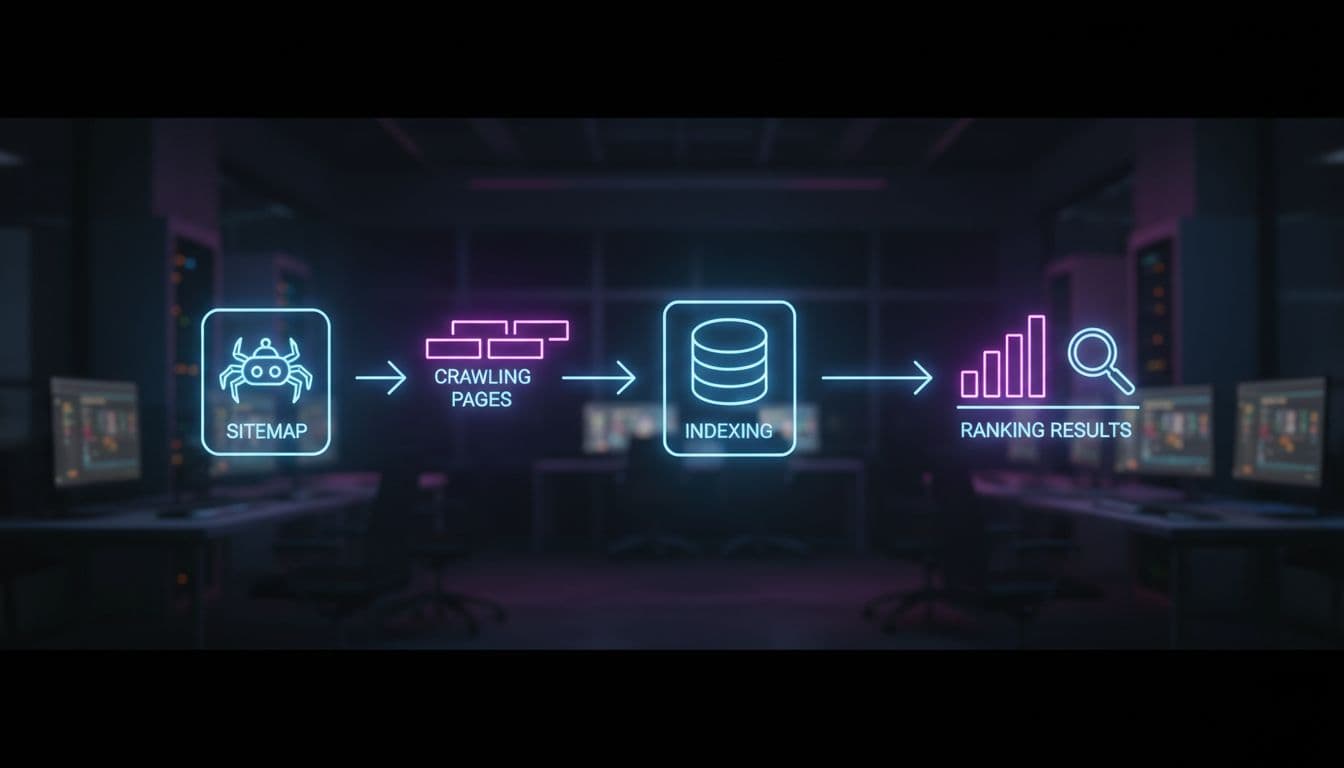
Web crawling is discovery. Search bots fetch URLs through links, sitemaps, and past visits. The indexing process comes next. The search engine processes the page, renders it, reads signals, and decides whether the page is worth storing in its index. In the indexing process, the engine creates an inverted index from a forward index to facilitate faster information retrieval. Ranking happens later, when a user enters a search query and the search engine algorithm orders eligible pages by relevance and quality.
A simple way to picture it is a library. Crawling finds the book. Indexing catalogs it. Ranking decides whether it belongs on the front table or in the back room.
Here is the quick distinction:
| Step | What happens | Why it matters |
|---|---|---|
| Crawling | Bot visits a URL | No discovery means no path forward |
| Indexing | Engine stores and understands the page | Unindexed pages usually can't rank |
| Ranking | Engine orders indexed pages for a search query | Better pages win more visibility |
A page can be crawled and still not get indexed. Thin content, duplicate URLs, weak signals, or rendering problems can cause that. On the other hand, a page can be indexed and still rank poorly because it doesn't match intent or lacks authority.
For a fuller primer, we can review how search engines work or scan this 2026 overview of crawling, indexing, and ranking.
What helps search indexing, and what gets in the way
Better search indexing starts with clean paths. Important pages should sit within a clear internal link structure, not orphaned five clicks deep. When we link key pages from menus, hubs, and related articles, crawlers find them faster and understand their place on the site. XML sitemaps help too. They don't force indexing, but they give Google a useful list of canonical URLs we want noticed, aiding the indexing process.
Canonical tags matter when several URLs show near-identical content. As crucial metadata, they help combine signals and point search engines to the main version. This is common with faceted navigation, print pages, tracking parameters, and product variants. If we ignore duplicates, Google may pick a version we don't want, or skip several of them, disrupting search indexing.
Robots directives need care. A noindex tag tells search engines not to keep a page in the index. robots.txt controls crawling, not direct index removal. If we block a URL in robots.txt, Google may never see a later noindex on that page. That's why mixed signals often create indexing headaches.
Quality also plays a major part, particularly through metadata in HTML headers. Pages with copied text, almost no original value, or weak alignment with user intent in SEO are easier to ignore during document parsing and tokenization. Search engines want pages that help people, not near-empty placeholders. They rely on semantic indexing and full-text indexing, building data structures with data compression, n-grams, and sparse n-grams to assess true value.
Indexing is the gate. Ranking is the contest after the gate opens.
Technical issues round out the list. If a page returns 404, 5xx, soft 404 (often tied to file properties), or long redirect chains, search indexing can stall. Heavy JavaScript can also hide key text and links if rendering fails or takes too long. When possible, we keep core copy and links in the HTML, not only in scripts. For larger sites, crawl waste on filters and parameters becomes a real issue, straining system resources, so this crawl budget optimization guide is a helpful next read.
How to check if a page is indexed, and what the results mean
Google Search Console is our best first stop for monitoring search indexing. In URL Inspection, we can test a page and see whether Google knows it, whether it was crawled, which canonical Google selected, and whether the page is allowed to be indexed. The Pages report helps us spot broader patterns affecting search performance and indexing speed, such as "Crawled, currently not indexed," "Discovered, currently not indexed," duplicates, or blocked URLs.

We can also submit XML sitemaps in Search Console. That won't force inclusion, but it helps us compare submitted URLs against indexed ones and spot search indexing gaps faster.
A site search can offer a rough second opinion, much like local search indexing in a desktop environment such as the Windows Search service, though web search operates differently. For example, entering a search query like site:yourdomain.com plus part of the page title may show whether a page appears in search results. Advanced users can even apply regular expression search for deeper data analysis. Still, this method has limits. It isn't a full inventory, it can lag behind real indexing speed, and it may omit pages that are already indexed. We use it as a hint, not proof, especially when gauging user intent behind common search queries.
If a page isn't indexed, we start with the basics. Is it internally linked? Is it in the sitemap? Does it return 200 OK? Is the canonical correct? Is a noindex present? Can Google render the main content? Those checks solve a large share of search indexing problems. For deep troubleshooting, consider advanced indexing options or, conceptually, steps akin to rebuilding a search index.
Last, we keep expectations realistic. Indexing doesn't guarantee traffic or top placement in search results. It only makes a page eligible to compete. After that, relevance, links, page experience, and keyword rankings in SEO still decide how visible the page becomes in search results.
When we treat search engine indexing as both a content job and a technical job, fixes become much clearer. Clean internal links, accurate canonicals, solid page quality, and renderable content give search engines fewer reasons to hold back, while optimizing user experience, performance optimization, and system resources management. Then we can use Search Console to confirm progress in the indexing process instead of guessing. If we want better SEO results, we start by making our best pages easy to find, easy to process, and worth storing.







