
Think of Googlebot like a delivery driver with a fixed route, not an endless tank of gas. If it spends time on dead ends, duplicate pages, and broken URLs, your best content may wait longer for a visit. That’s the basic idea behind crawl budget.
For many websites, this isn’t a major concern. Still, for large sites, fast-moving publishers, ecommerce stores with filters, and sites with technical SEO challenges, it can affect how quickly Google finds and refreshes important pages. Optimizing this process aids in the discovery of high-value content.
Crawl budget explained in plain English
Crawl budget is the number of URLs Googlebot is willing and able to crawl on your site over a period of time. This crawl budget is calculated using two main components: crawl demand, the number of pages Google wants to crawl because they seem useful and fresh, and crawl capacity limit, the maximum your server can handle without being overloaded. Google wants to crawl pages that seem useful and fresh, but it also has to avoid overloading your server, so Googlebot may enforce a crawl rate limit to prevent issues.
Google says in its own crawl budget guidance that this topic mostly matters for very large or frequently updated sites. That matters because many site owners hear the term and assume every website has a crawl budget problem. Most don’t.
Before going deeper, it helps to separate two ideas that often get mixed up:
| Term | What it means | Why it matters |
|---|---|---|
| Crawling | Googlebot requests a URL and reads it | New or updated pages can be discovered |
| Indexing | Google stores and evaluates the page for search indexing | The page becomes eligible for indexing in search results |
Crawling finds a page. Indexing decides whether it belongs in search.
A page can be crawled but not indexed. It can also be indexed but refreshed infrequently. That’s why crawl budget matters. If Google spends too much time on low-value URLs, important pages may be discovered late, re-crawled less often, or updated slowly in the index during indexing.
When crawl budget matters, and when it doesn’t
For a small business site with a few hundred pages, clean site architecture, and steady performance, crawl budget usually isn’t the bottleneck. If new pages get crawled soon after publishing, there are bigger SEO wins to chase, like better content, stronger internal links, and improved search intent matching.
Google made that point clearly in its explanation of what crawl budget means, where it discusses how Googlebot prioritizes pages based on factors like page authority and backlinks. If a site has relatively few URLs and Google reaches new pages quickly, crawl budget is rarely the issue.
It starts to matter more when a site has one or more of these traits:
- Huge numbers of URLs
- Frequent updates across many sections
- Faceted navigation or heavy URL parameters
- Slow response times or recurring server errors
- Large amounts of duplicate or thin pages
That’s why enterprise ecommerce, job boards, forums, real estate sites, and big publishers talk about crawl budget more than local service sites do. Size alone can create waste, and technical inefficiency makes it worse.
How crawl waste shows up on a website
Crawl waste happens when bots spend time on URLs that don’t help your search visibility or produce duplicate content. That includes duplicate category pages, filtered URLs, tracking parameters, internal search results, redirect hops, soft 404s, and expired pages that still live in sitemaps or internal links, all of which harm crawlability.

The symptoms often show up in a few familiar ways. New pages take too long to get crawled. Old pages stay stale in search. Google Search Console’s Crawl Stats report shows lots of redirects, 404 status code, or server errors. Meanwhile, server logs reveal Googlebot requesting the same low-value patterns again and again.
Faceted navigation is a common source of waste on large stores. A color filter, price sort, size filter, and brand filter can explode into thousands of URL combinations. Some of those URLs may help users, but not all deserve crawl attention. This guide to faceted navigation best practices explains why uncontrolled filters can drain bot time fast.
Server logs add another layer of truth because they show what crawlers actually requested. If you want to spot crawl traps, orphan pages, and repeated bot visits to junk URLs, this log file analysis workflow is a solid reference.
Practical ways to improve crawl budget
The goal isn’t to squeeze every last bot hit out of Google. The goal is to keep crawlers focused on URLs that matter most.
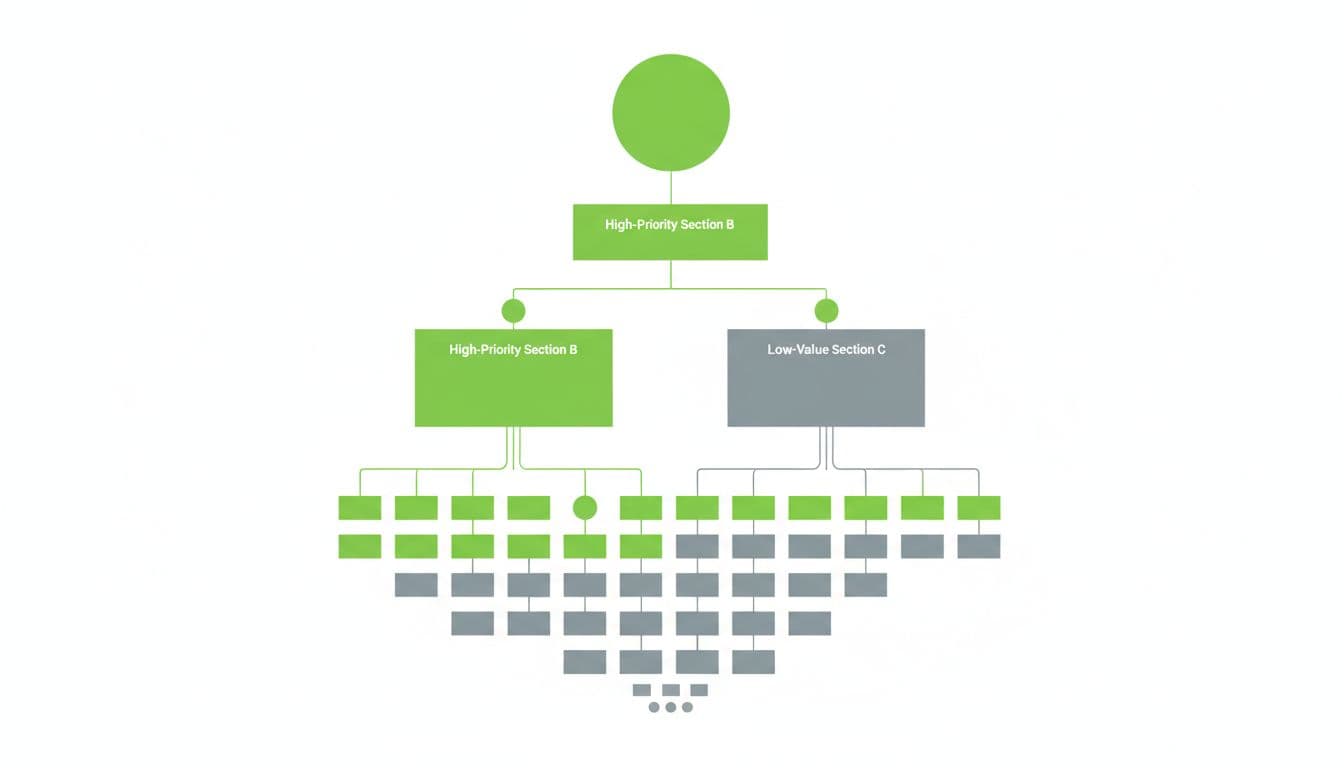
Start with internal linking. Important pages should be easy to reach from strong hub pages, not buried five clicks deep. Good internal links help Google discover priority URLs faster and signal which sections deserve more attention.
Next, reduce low-value and duplicate content. Consolidate near-duplicates, remove outdated pages that no longer serve a purpose, and stop creating endless URL variations when possible. Canonical tags can help with duplicates, but they don’t always stop crawling by themselves. Additionally, use robots.txt to block low-value areas from being crawled.
Then manage parameters and faceted URLs with care. Not every filter page should be indexable, and not every combination should stay open to crawling. Decide which filtered pages have real search value, then limit the rest through better linking, templating, and crawl controls.
Fix redirect chains and server errors fast. If internal links still point to redirected URLs, update them to the final destination. Also clean up 404s, soft 404s, and 5xx errors. Site speed and server infrastructure are critical components of site health; a slow or unstable server can lower crawl efficiency because Googlebot backs off under high host load when a site struggles to respond.
Keep XML sitemaps tight. They should list only canonical, indexable URLs that you actually want crawled and indexed. If your sitemap is full of redirects, noindexed pages, or expired URLs, it sends mixed signals.
Finally, monitor the right data. Google Search Console Crawl Stats helps you watch trends in requests, response codes, and host status. Server logs show the raw crawl behavior behind those trends. Used together, they make crawl budget much easier to diagnose.
Final takeaway
Crawl budget isn’t something every website needs to chase. Still, when a site is large, updates often, or creates too many useless URLs, crawl efficiency can shape how fast pages get discovered and refreshed. A clean site architecture improves crawl frequency, so keep your sitemaps focused and your crawl data under review. Tools like robots.txt and regular monitoring of Google Search Console are essential for long-term indexing success.